
The BOM tool your AI assistant can actually use
Parts, BOMs, sourcing and revision control for hardware teams. Connect Claude or Cursor in a minute. Free for one user, and open source.
Built by hardware engineers to do what Excel can't
Simple
Most PLM tools are overloaded and expensive. IndaBOM stays focused on your bill of materials, sourcing, and revision control — nothing you don't need.
Integrated
Keep part files in Google Drive, pull live pricing and stock from Mouser or Octopart, and connect AI assistants like Claude and Cursor.
Open Source
Built on Django and Python. Transparent, extensible, and community-driven so you can adapt it to your workflow.
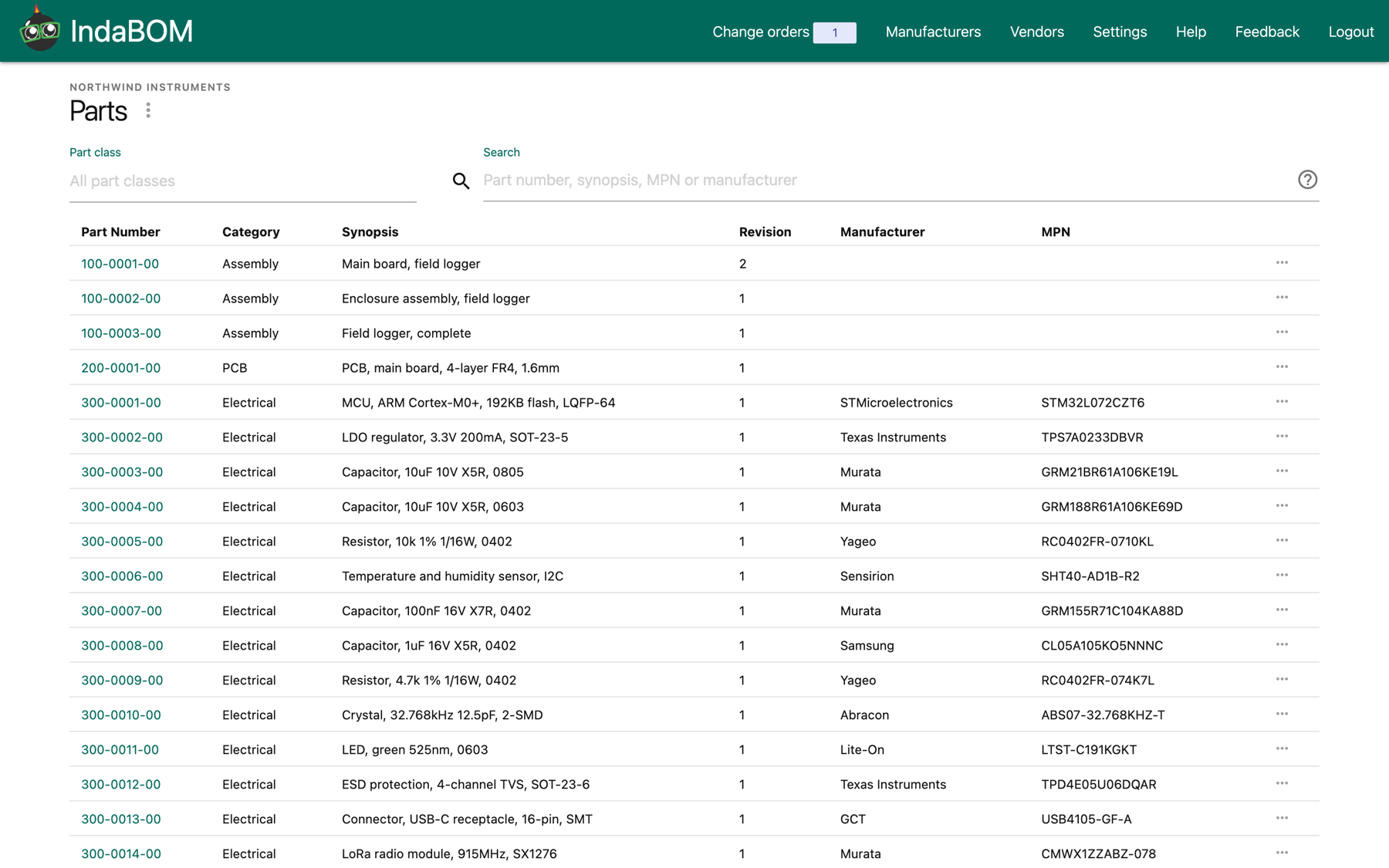
Organize all your parts in one place. Auto-generate internal part numbers with a scalable numbering scheme. Track multiple manufacturer and seller options, quotes, and prices per part.
Your BOM, in your AI assistant
Connect Claude, Cursor or any MCP client and work on your BOM by asking. Your assistant searches, prices and builds with your real parts, under the same revision control as your team. Free on every plan.
“Here's my KiCad BOM export. Create the parts and build the assembly.”
Creates parts with numbers from your scheme and links them into an indented BOM.
“Price the main board at 100 and 1,000 units. Flag anything with low stock.”
Pulls live pricing and stock from your sourcing provider and rolls up the cost.
“Where is this capacitor used? Swap it for the 0603 version everywhere.”
Finds every assembly that uses it and drafts a new revision of each. On Professional, they go into one change order for review.
Your AI drafts the change. Your team approves it.
Released parts never change silently. Start the next revision, collect the edits in a change order (ECO), review the BOM diff, then approve and release. People and AI assistants follow the same path.
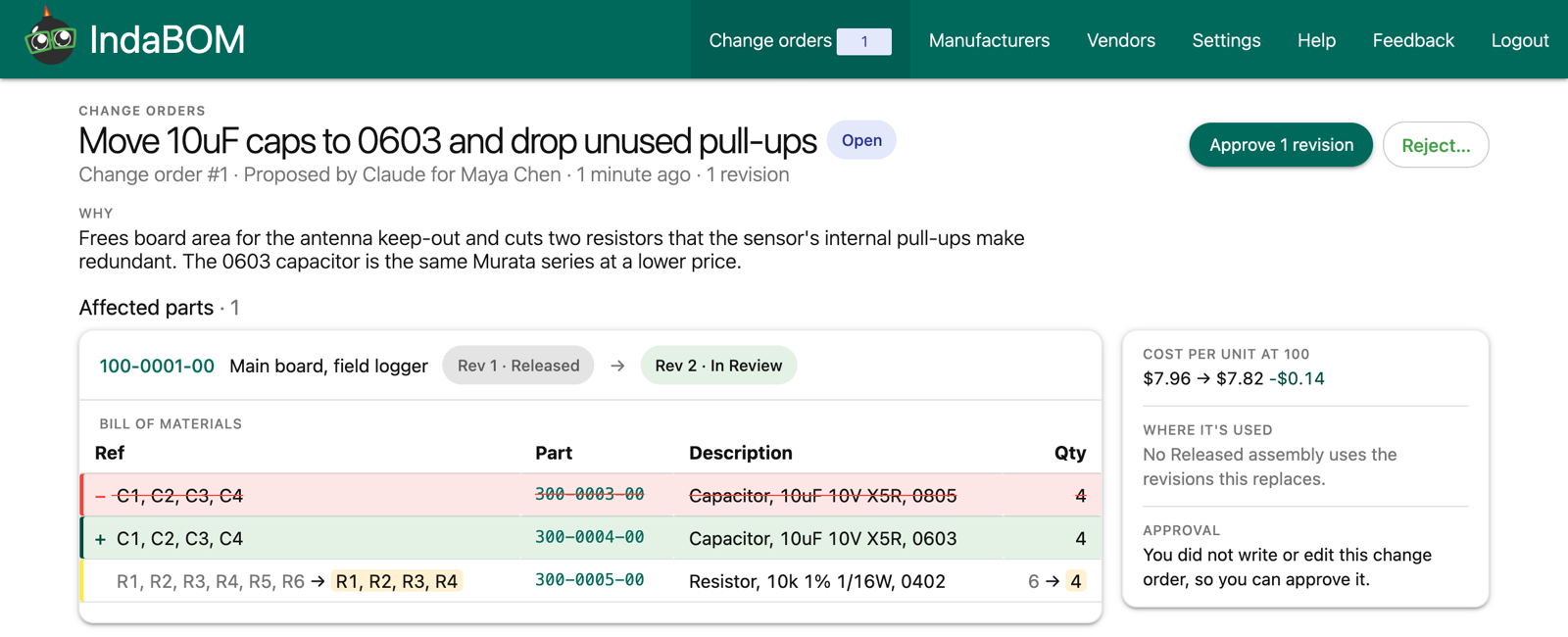
Draft
Edit the next revision of a part while the released one stays in production.
Review
Bundle related revisions into one change order with the reason, a BOM diff, and the cost before and after.
Release
A teammate approves and every revision in the change order is released together.
Between a spreadsheet and enterprise PLM
Spreadsheets
- check Free and familiar
- close No part numbers or revisions
- close AI only sees a pasted copy
- close Changes aren't reviewed
IndaBOM
- check Part numbers, revisions and change orders
- check AI works on your live BOM, free on every plan
- check Same approvals for people and AI
- check Open source, free to start
Enterprise PLM
- check Revisions and change orders
- close Weeks of setup, often with a consultant
- close Priced for large companies
- close More features than a small team uses
Works with the tools you already use
AI Assistants
Connect Claude, Claude Code, Cursor, VS Code or any MCP client and work on your BOM by asking. Free on every plan. Set it up


Live Pricing
Pull live stock and price breaks into your parts and BOMs with your organization's own Mouser or Octopart API key.

Part Files
Keep datasheets, drawings and other part files in Google Drive, organized in a folder for each part number.
Import and Export
Upload parts and BOMs from CSV. Export a BOM, with or without sourcing, for your contract manufacturer.